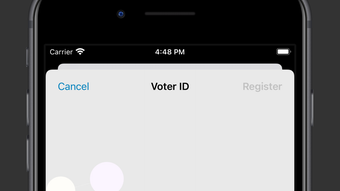

Secure Online Voting for Every Organization
VoteMeApp is a desktop-based e-voting platform designed to simplify online elections for organizations, communities, and groups. It supports multiple voting formats, including Single Choice, Multiple Choice, Ranked-Choice, and Open Voting, enabling flexible decision-making across diverse scenarios. The software is tailored for professional associations, student bodies, social-political groups, and corporate teams seeking a streamlined way to conduct secure, transparent elections.
By guiding users through voter identification, ballot creation, voting, and result calculation, VoteMeApp reduces administrative overhead and ensures process integrity. Its real-world applications include annual leadership elections, policy decisions, and community initiative approvals. The platform emphasizes accessibility and ease of use, making democratic processes more inclusive and efficient.
Key Features & Capabilities
- Multiple Voting Formats: Supports Single Choice (Yes/No/Abstain), Multiple Choice, Ranked-Choice, and Open Voting, allowing users to select the most appropriate method for their decision-making needs.
- Secure Voter Identification: Implements a verification system to ensure only authorized individuals participate in elections, enhancing integrity and preventing unauthorized access.
- Intuitive Ballot Creation: Offers a user-friendly interface for designing ballots with customizable options, making it easy to set up elections for various purposes.
- Automated Result Calculation: Processes votes and generates results instantly, reducing manual effort and minimizing human error in tallying.
- End-to-End Voting Workflow: Guides users step-by-step through the entire election lifecycle—from voter setup to result publication—ensuring consistency and clarity.
These features enable organizations to conduct elections with minimal technical expertise. For example, a student council can use Ranked-Choice Voting to elect officers based on preference order, while a community group might use Open Voting to identify trusted leaders through network-based influence scoring. The platform’s structured workflow helps prevent procedural mistakes, ensuring that each election runs smoothly and transparently.
User Interface, Workflow & Performance
The user interface is designed for clarity and ease of navigation, with a clean layout that organizes key functions into logical sections. Users can access voter management, ballot configuration, voting sessions, and results from a centralized dashboard. Navigation is straightforward, with contextual menus and tooltips that support first-time users. The workflow follows a linear progression: setup → verification → voting → results, reducing cognitive load and minimizing user errors.
Performance details were not specified by the developer. However, based on the application’s size (50 MB) and desktop nature, it is expected to operate efficiently on modern systems. The developer did not provide additional system requirements, so resource usage such as CPU or RAM consumption remains unknown. Stability during extended use or high-vote scenarios was not documented. General software behavior patterns suggest consistent performance under normal conditions, but specific benchmarks are unavailable.
Compatibility & System Requirements
VoteMeApp is compatible with Windows and Mac operating systems. The software version is 1.0.1, with a download size of 50 MB. Installation is straightforward, and the application runs as a standalone desktop program.
Exact system requirements were not listed. The developer did not specify minimum CPU, RAM, or disk space needs. Platform compatibility information is limited to the two major desktop platforms.
No mobile or web-based components were mentioned. Users are advised to ensure their system meets standard desktop application requirements for optimal operation.
Pros and Cons
Pros
- Supports multiple voting methods for diverse decision-making needs
- Streamlines the entire election process with guided workflows
- Designed for secure voter identification and participation control
- Free to use with no licensing fees
- Available for both Windows and Mac platforms
Cons
- Exact system requirements were not provided
- Performance under high load or large-scale elections was not documented
- Limited information on security protocols and encryption methods
- No mention of offline voting capabilities
- Developer did not include detailed user guides or tutorials
FAQ Section
Is VoteMeApp compatible with Windows and Mac?
Yes, VoteMeApp is available for both Windows and Mac operating systems.
Is the software free to use?
Yes, VoteMeApp is offered at no cost. There are no licensing fees or subscription charges.
Can I conduct elections offline with VoteMeApp?
The developer did not specify whether offline voting is supported. The software operates as a desktop application, but details on offline functionality are limited.
How often are updates released?
Information about update frequency was not provided. Users should check the official source for the latest version.
What kind of voting systems does VoteMeApp support?
VoteMeApp supports Single Choice, Multiple Choice, Ranked-Choice, and Open Voting, allowing flexibility for different organizational needs.
Final Thoughts + CTA
VoteMeApp stands out as a practical, accessible tool for organizations aiming to modernize their decision-making processes. With support for multiple voting formats and a structured workflow, it simplifies the complexities of online elections. Its free availability and cross-platform support make it ideal for student bodies, community groups, and professional associations. While some technical details remain undisclosed, the platform delivers on its core promise: a secure, user-friendly way to conduct democratic processes. For teams seeking a reliable, no-cost solution to manage elections, VoteMeApp offers a compelling choice.
Download VoteMeApp now







